My app inside my agent: how I connected Virso to Claude, ChatGPT and Grok
 Stiven Morelos·Oct 22, 2026 ·6 min read
I talk to Claude every day. When I built Virso, the first thing I wanted was to ask him how much I’d spent on food this month, without opening the app. It sounds like a whim, but it forced me to solve something I think is no longer optional for any app: talking to the agents people already use.
Because opening your app isn’t always something people can or want to do. They’re driving, they’re in a meeting, they have twenty other apps asking for attention. And more and more, when they need something, they ask their agent: to look it up, to summarize, to log it, to remind them.
So this is the first part of a series on getting more out of your apps. I’m starting with the one that cost me the most decisions: putting the app inside the agent.
One server, four places (and one on the way)
You don’t have to build one integration per assistant. There’s a standard, MCP (Model Context Protocol), that lets any compatible agent discover your app’s tools and use them with the user’s permission.
You build a remote MCP server and connect it everywhere. Virso’s lives at https://mcp.virso.dev/mcp, and in everything that follows, the only thing that changes is where you paste that URL. If you have your own app, swap in your URL and the steps are the same.
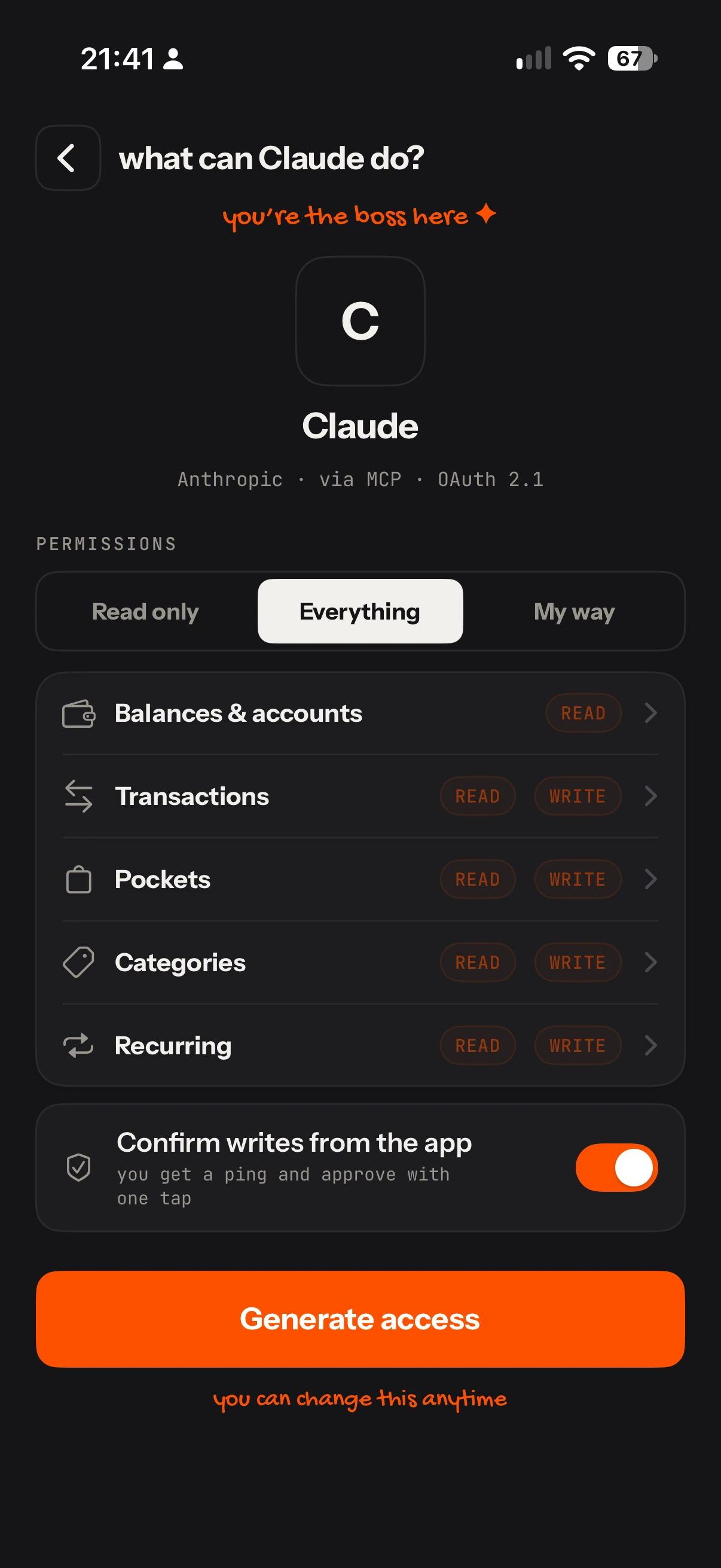
One thing before we start: Virso doesn’t use a username and password for this. In the app, under Profile → Agents, you pick the agent, choose what it’s allowed to do, and the app gives you a single-use pairing code that expires in 10 minutes. That code is what you paste when the agent asks for it.
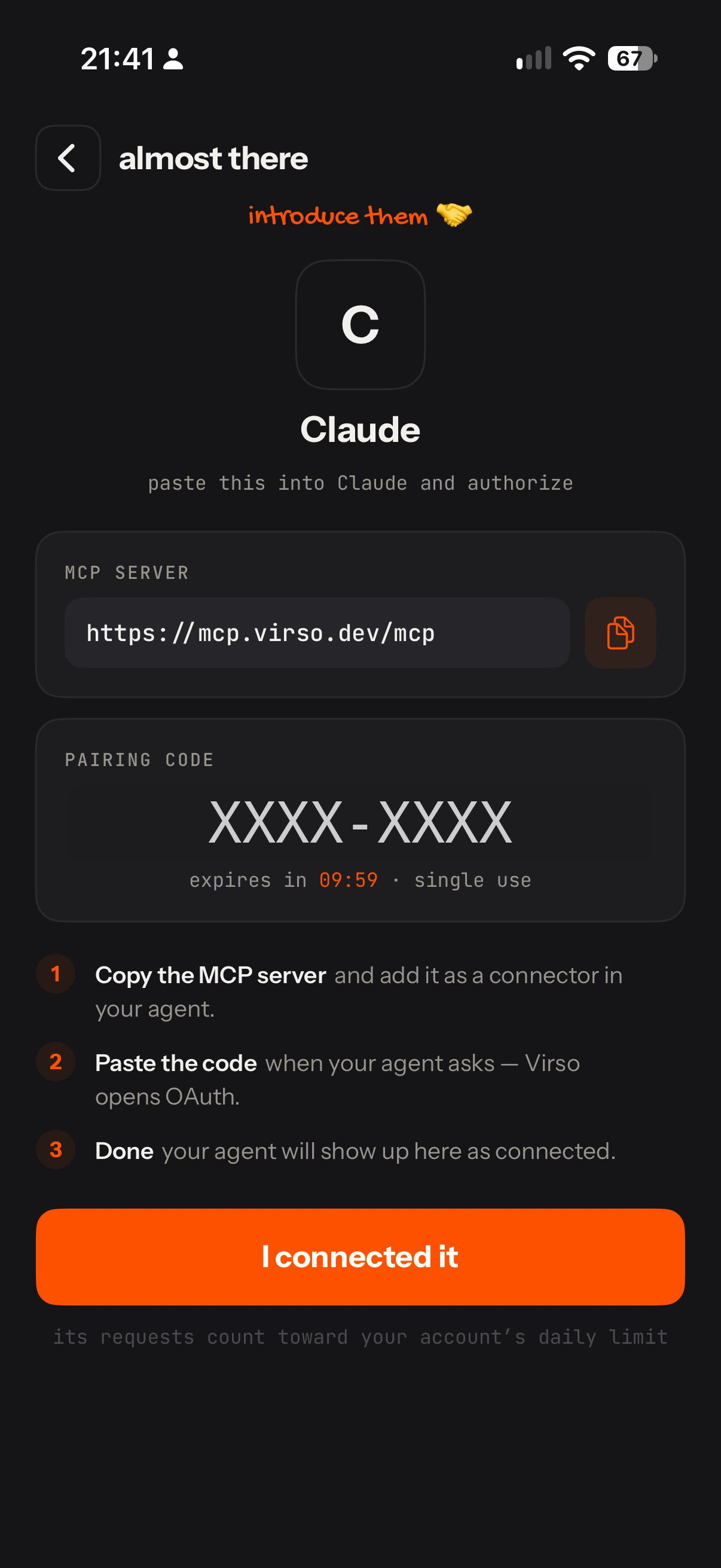
1. Claude
- Go to Settings → Connectors → Add custom connector.
- Paste the server URL:
https://mcp.virso.dev/mcp. - A Virso page opens asking for the code. Paste it, authorize, and it sends you back to Claude.
- Turn the connector on in a conversation and ask: “Which payments are due this week?”
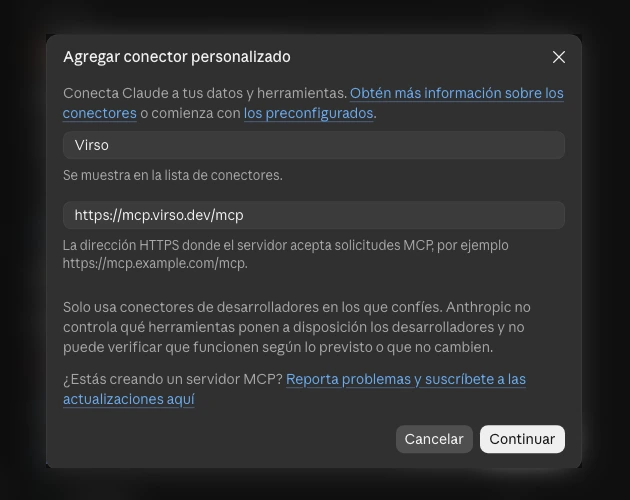
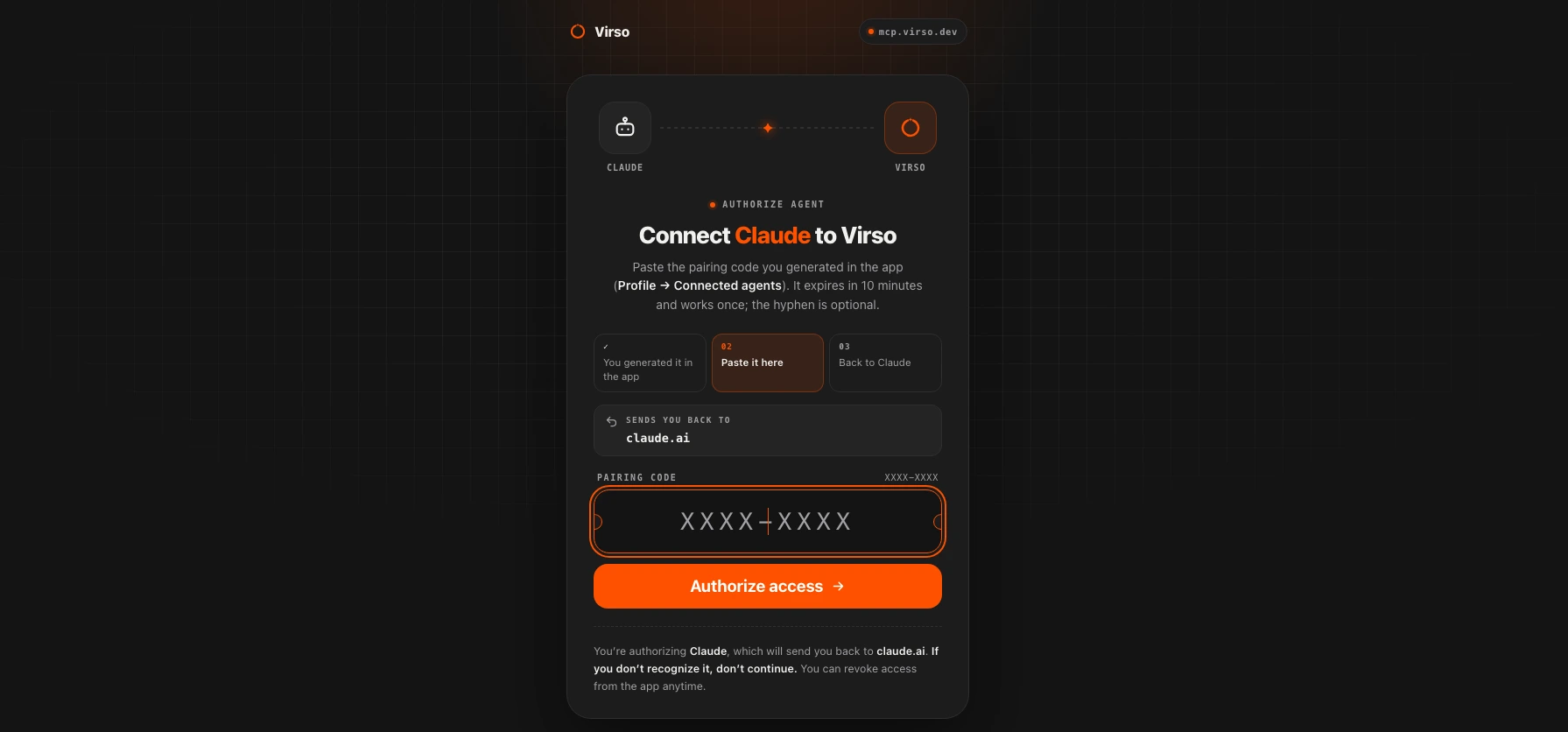
Claude warns you that third-party connectors are the responsibility of whoever built them. It’s a healthy warning: read it. ChatGPT tells you something similar.
2. ChatGPT
- Turn on developer mode. The last time I checked it was under Settings → Apps & Connectors → Advanced; OpenAI has moved it around during 2026, so if it’s not there, look under Security.
- Go back to Apps & Connectors and choose Create. Give it a name and a clear description: the model reads it to decide when to use the connector.
- Paste the URL, choose OAuth as the authentication and save. Virso asks you for the same code as in Claude.
- In a new chat, turn it on from the tools menu.
3. Grok
- Go to grok.com/connectors → New Connector → Custom.
- Paste the URL and finish the pairing with the code from the app.
- Grok discovers the tools on its own and uses them when your question calls for it.
4. Your terminal
If you code, your coding agent can talk to your apps too. I use it to test the server without leaving VS Code.
# Claude Code
claude mcp add --transport http virso https://mcp.virso.dev/mcp
# then, inside Claude Code: /mcp → virso → Authenticate

# Grok Build
grok mcp add --transport http virso https://mcp.virso.dev/mcp
5. Your own bot, through the API (not yet)
This is the one I most want to show: a Telegram or WhatsApp bot that answers with your finances. The model APIs accept remote MCP servers as just another tool. The problem is that an API can’t open a browser for you to pair the account, so it needs a long-lived token instead of the app’s code. Virso doesn’t have that yet. When it does, I’ll write about it right here.
What almost nobody talks about: permissions
Connecting is the easy part. The hard part is deciding what an agent can do with data that isn’t yours. And in a finance app, the agent doesn’t just read: it can log transactions, move money between pockets or pause a recurring payment.
These are the decisions I made while building Virso’s server. If you’re building yours, copy them:
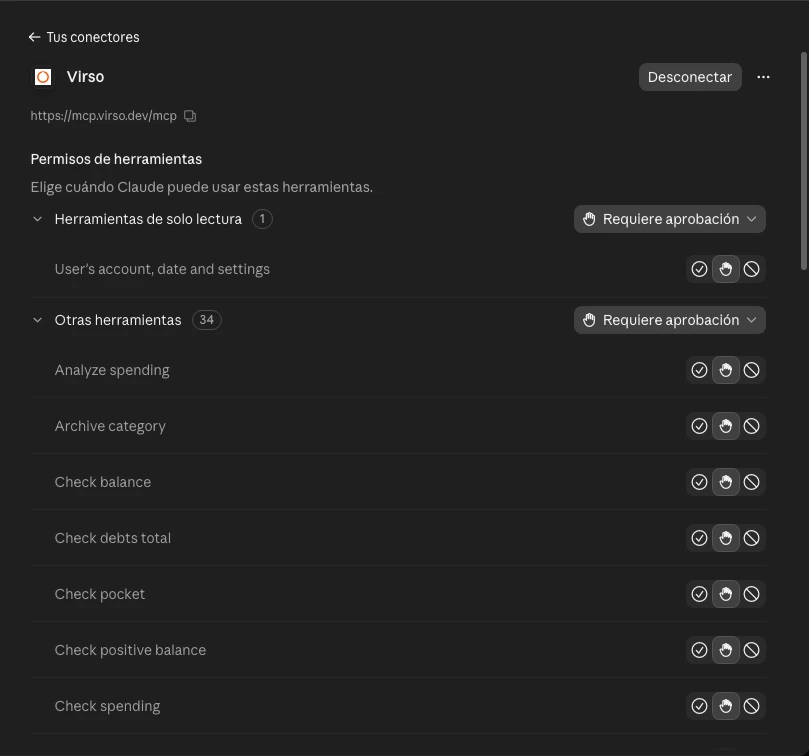
- Permissions by group, not all or nothing. Tools are grouped into five blocks (balances, transactions, pockets, categories and recurring), and each one is granted as read-only, read and write, or no access. Balances are always read-only. To keep it simple, the app offers three presets: Read only, Everything and My way.
- Every write can wait for approval. If you turn it on, when an agent wants to create or change something you get a notification, you review the details in the app and approve with one tap. The agent waits about 45 seconds, and the action expires after 5 minutes if you don’t answer.
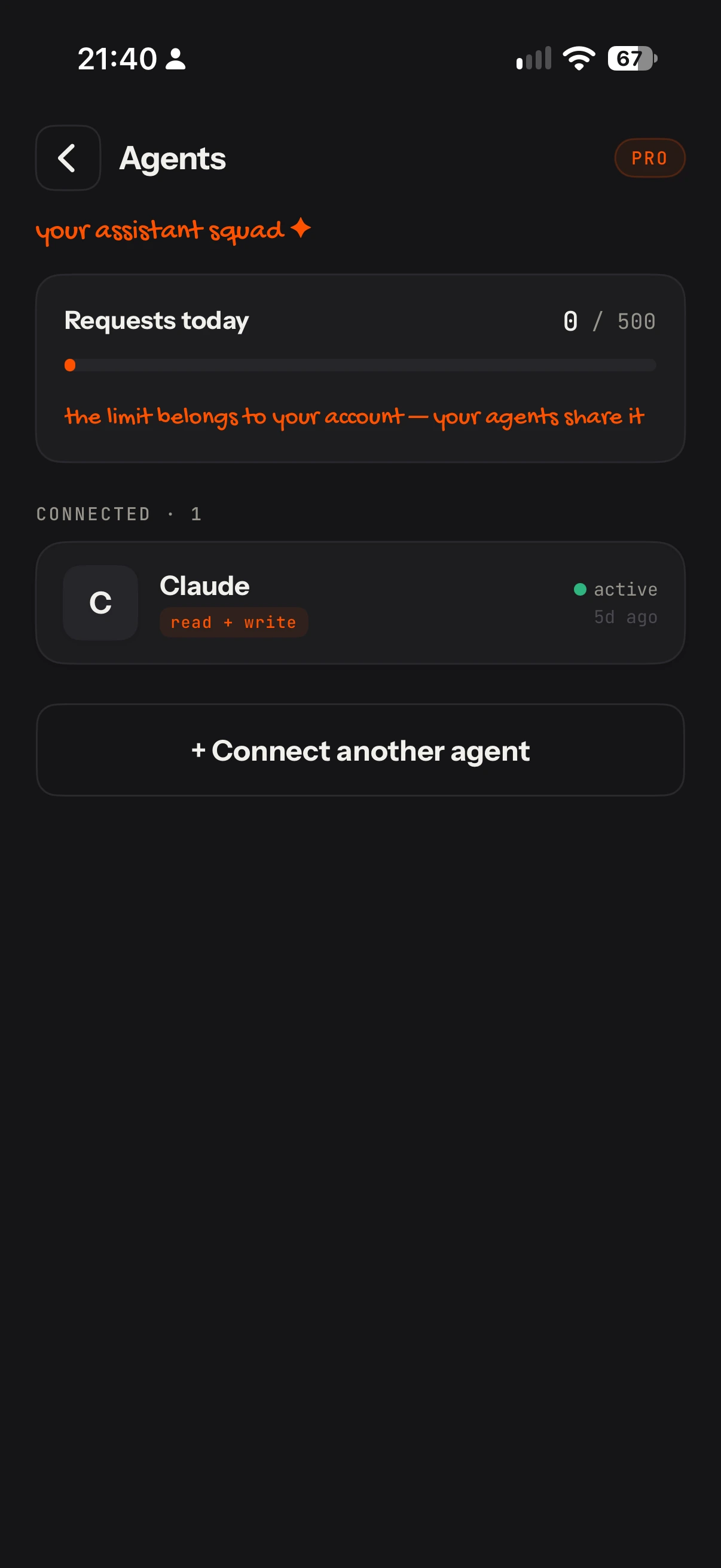
- Permissions per connection. Each agent has its own, you change them whenever you want without pairing again, and revoking one doesn’t affect the others. Revoking has to be as simple as connecting.
- A daily limit. 500 requests per day per account, shared across all agents. An agent stuck in a loop shouldn’t be able to drain your backend or your wallet. Every response carries a header with what’s left, so the agent knows too.
What I learned about how an agent “thinks”
- It doesn’t know what day it is for you. Its clock isn’t your time zone. Virso has a tool that returns the user’s date, time and time zone, and the server tells the agent to use it before interpreting “today” or “last week”.
- Amounts can’t be ambiguous. If you say “15 thousand pesos”, the tool receives 15000, and results come back as integer cents next to already-formatted text. No conversion mistakes.
- Data gets old. Every response carries an “as of…” stamp, so the agent doesn’t repeat an old balance as if it were current.
- The agent doesn’t see your screens. It reads the names and descriptions of your tools, and decides from that. Write them as if they were your best documentation, because they are.
So is the app pointless now?
No. The app is still the place to see everything, configure and approve. What changes is that it’s no longer the only door.
Does your app talk to agents yet? What would you like to ask yours without opening it?
Virso is in the App Store review queue; the connector will be part of the Pro plan. If you want to know when it’s out, join the list at virso.dev ↗. And if you want to see how I’m building it, follow me on LinkedIn ↗ or Threads ↗.